Introduction:
Businesses today face constant pressure to do more in less time while keeping operational costs under control. However, many companies still rely on manual processes for repetitive tasks like data entry, invoicing, customer follow-ups, and reporting. These outdated methods waste time, increase human error, and slow overall productivity. According to McKinsey, nearly 60% of occupations have at least 30% of activities that can be automated, showing how much time businesses can save through automation. Business automation helps solve these challenges by using technology to streamline workflows, eliminate repetitive tasks, and improve operational efficiency. From automating sales and customer service to finance and HR processes, automation allows teams to focus on higher-value work instead of routine tasks. In this blog, we’ll explore how business automation helps companies save time, reduce operational costs, and improve overall business performance in today’s competitive market.
What Is Business Automation and Why Does It Matter?
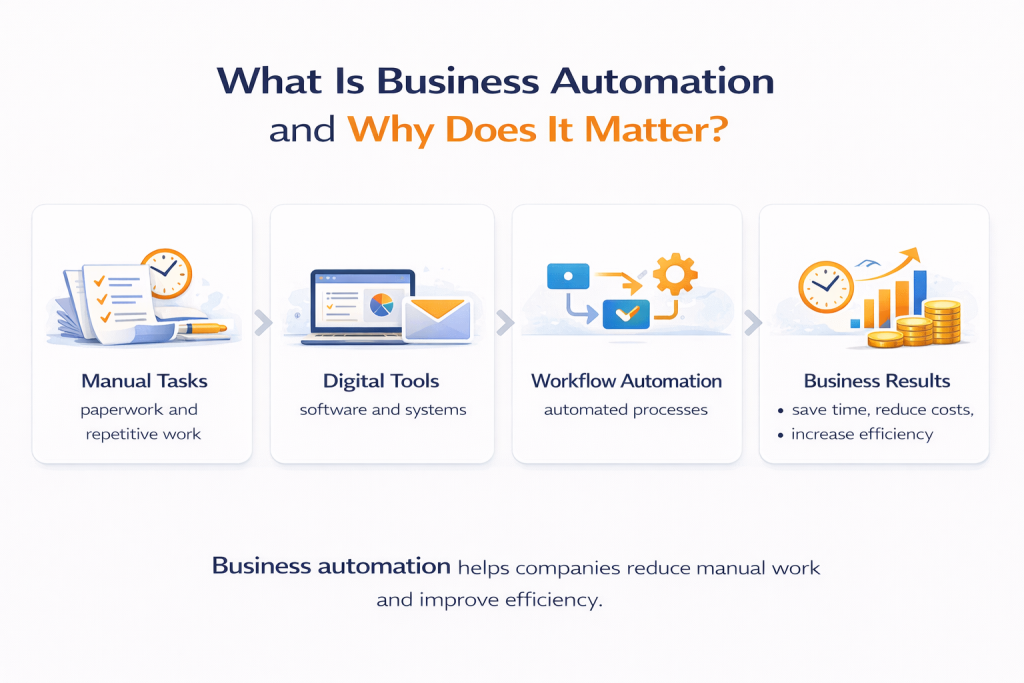
Business automation refers to the use of technology to complete repetitive tasks, manage workflows, and improve operational efficiency without constant manual effort. Instead of handling every task manually, businesses can use software and digital tools to automate processes like invoicing, reporting, lead tracking, and customer communication. According to McKinsey, businesses can automate nearly 30% of most daily work activities, which can significantly improve productivity and reduce wasted time. Business automation matters because it helps companies work faster, minimize errors, and reduce operational costs. In today’s competitive market, businesses that rely only on manual processes often struggle with delays, inefficiency, and limited scalability. Automation allows teams to focus on strategic work while systems handle repetitive tasks in the background. Whether improving customer service or streamlining internal workflows, automation helps modern businesses operate smarter and stay competitive.
Simple Definition of Business Automation
Business automation means using software or technology to perform routine business tasks automatically instead of doing them manually. It helps businesses save time, reduce workload, and improve consistency across operations.
Business Automation Can Handle:
- Sending invoices automatically
- Scheduling customer follow-ups
- Tracking employee attendance
- Generating reports instantly
- Managing workflow approvals
According to Forbes, businesses that adopt automation can improve productivity by 20–30%. Instead of spending hours on repetitive tasks, teams can focus on growth and strategic decision-making. Automation helps businesses simplify operations while improving speed and accuracy across departments.
How Business Automation Works
Business automation works by using software tools and predefined rules to complete tasks automatically when specific actions happen. It removes the need for manual intervention in repetitive processes.
How Automation Typically Works:
- Detects a trigger or action
- Follows pre-set workflow rules
- Executes the required task automatically
- Updates data in real time
For example, when a customer submits a form online, the system can automatically send a confirmation email, assign the lead to sales, and store the data in CRM software. According to Zapier, businesses using automation reduce repetitive task time significantly and improve operational speed. Automation helps workflows run faster and more efficiently with fewer delays.
Why Automation Is Important for Modern Businesses
Automation is important because modern businesses need speed, efficiency, and scalability to stay competitive. Manual processes slow teams down and increase the risk of errors.
Why Businesses Need Automation:
- Saves time on repetitive tasks
- Reduces human errors
- Improves workflow efficiency
- Helps teams focus on high-value work
For example, instead of manually sending payment reminders every month, businesses can automate the process and ensure every client gets notified on time. According to Deloitte, 73% of organizations have started implementing automation to improve productivity. Automation helps businesses improve performance, lower costs, and adapt faster to growing demands.
Why Choose Digital Data Tecnologia for Business Automation Solutions
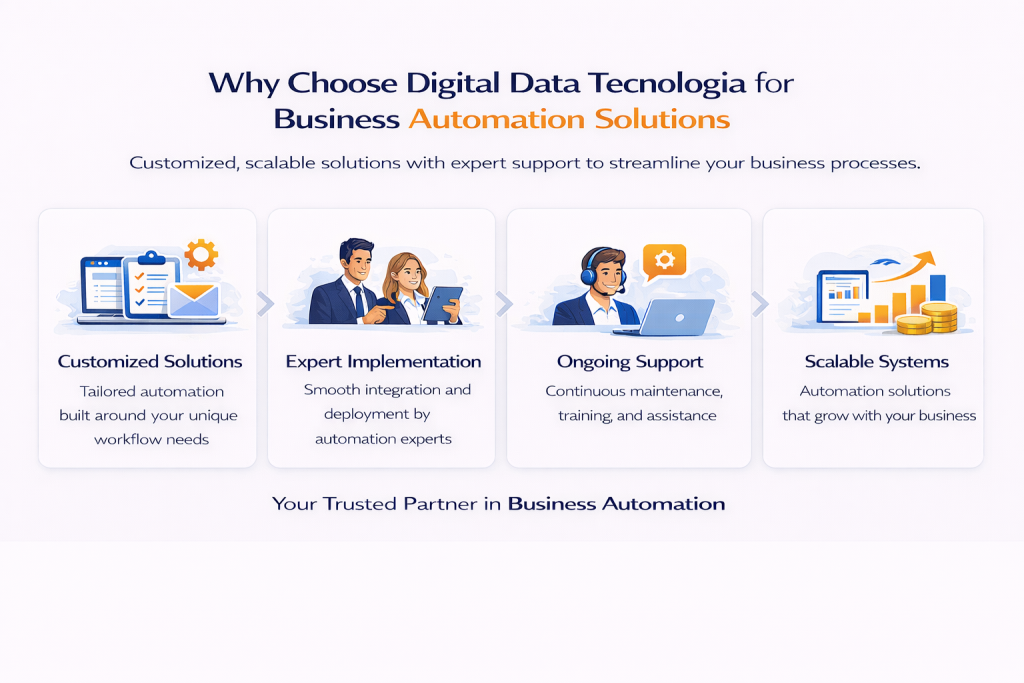
Choosing the right automation partner is essential for successful implementation and long-term business efficiency. Businesses need more than just software they need expert guidance, tailored solutions, and ongoing support to maximize results. Digital Data Tecnologia provides customized business automation solutions designed to help businesses in Angola streamline operations, reduce manual work, and improve productivity. According to Deloitte, organizations that implement automation report significant gains in efficiency and operational performance. Our team works closely with each client to understand workflow challenges, identify automation opportunities, and deploy systems that align with business goals. From implementation to optimization, we ensure businesses receive practical automation solutions that deliver measurable results.
Why Businesses Choose Digital Data Tecnologia
| Key Advantage | Business Benefit |
| Customized Solutions | Built around your workflow needs |
| Expert Implementation | Smooth setup and deployment |
| Ongoing Support | Reliable maintenance and assistance |
| Scalable Systems | Supports future business expansion |
Partnering with an experienced automation provider helps businesses reduce risk, improve adoption, and maximize return on investment.
Customized Automation Solutions
Every business has unique workflows, challenges, and operational goals. That’s why Digital Data Tecnologia delivers customized automation solutions designed specifically around your business needs.
Our Automation Solutions Include:
- Workflow automation based on business processes
- Custom setup for operational requirements
- Integration with existing software systems
- Flexible automation tools for different departments
For example, one company may need invoice automation, while another may need customer support workflow automation. According to Forrester, customized digital solutions improve operational efficiency and user adoption rates. We create automation systems that match your processes and improve daily workflow performance.
Expert Implementation and Support
Automation software performs best when implemented correctly with professional planning and technical guidance. Digital Data Tecnologia ensures smooth implementation and continuous support throughout your automation journey.
Our Support Services Include:
- Workflow analysis and consultation
- Full system setup and deployment
- Employee onboarding and training
- Ongoing troubleshooting and maintenance
According to McKinsey, businesses with expert implementation support complete digital projects faster and with fewer operational disruptions. For example, improper setup can create workflow confusion and adoption issues. Our experienced team ensures your automation tools work efficiently from day one and continue performing long-term.
Scalable Solutions for Future Growth
As businesses grow, their operational demands increase. Automation systems should adapt easily to support that growth without requiring complete replacement. Digital Data Tecnologia provides scalable automation solutions built for long-term flexibility.
Benefits of Scalable Automation Solutions:
- Supports growing workflow demands
- Adds features as business expands
- Handles increasing data and transactions
- Adapts to changing operational needs
For example, a small business may begin by automating invoices and later expand into HR, CRM, and reporting automation. According to Gartner, scalable technology solutions reduce long-term software costs and improve business agility. Our automation systems grow with your business and support sustainable expansion.
How to Choose the Right Automation Solution
Choosing the right automation solution starts with understanding your business challenges and selecting tools that solve real operational problems. Many businesses invest in automation software without evaluating their workflow needs, which often leads to poor adoption and wasted budget. According to Capterra, nearly 52% of businesses say choosing the wrong software impacts efficiency and delays implementation success. The right automation solution should align with your daily operations, improve workflow speed, and support long-term scalability. Businesses should focus on tools that simplify repetitive tasks, integrate with existing systems, and deliver measurable value over time. Whether you want to automate finance, customer service, sales, or internal workflows, selecting the right platform ensures better performance and higher ROI. By identifying bottlenecks, comparing tools, and partnering with experienced professionals, businesses can implement automation successfully and maximize long-term efficiency.
Identify Your Workflow Bottlenecks
Before choosing any automation tool, businesses must identify where delays, inefficiencies, and repetitive tasks happen in daily operations. This helps prioritize which areas need automation first.
Questions to Identify Bottlenecks:
- Which tasks take the most time daily?
- Where do employees repeat manual work often?
- Which processes cause delays or errors?
- What tasks affect productivity most?
For example, if employees spend hours manually entering invoice data every week, finance automation may be the first priority. According to McKinsey, automation works best when businesses first map repetitive processes before implementation. Understanding workflow bottlenecks helps businesses automate the right tasks and achieve faster ROI.
Compare Automation Tools and Features
Not all automation tools offer the same features, so businesses should compare platforms carefully before choosing one. The best tool should match your workflow requirements and business goals.
Important Features to Compare:
- Workflow customization options
- Integration with existing systems
- Reporting and analytics dashboard
- User-friendly interface
- Scalability for future growth
For example, a customer support team may need ticket automation, while a finance team may require invoice processing automation. According to Gartner, businesses that compare software based on long-term value rather than price achieve better technology ROI. Choosing the right feature set ensures smoother adoption and stronger performance.
Work With an Experienced Automation Partner
Partnering with an experienced automation provider helps businesses implement the right tools correctly and avoid costly setup mistakes. A trusted partner offers technical guidance, workflow recommendations, and ongoing support.
Benefits of Working With Experts:
- Professional consultation and planning
- Faster and smoother implementation
- Better workflow customization
- Long-term support and maintenance
For example, an experienced automation partner can identify hidden inefficiencies in your workflow and recommend solutions you may overlook internally. According to Accenture, businesses working with digital experts complete automation projects faster and achieve stronger results. The right partner helps ensure your automation strategy delivers maximum business value.
Common Business Problems Solved by Automation
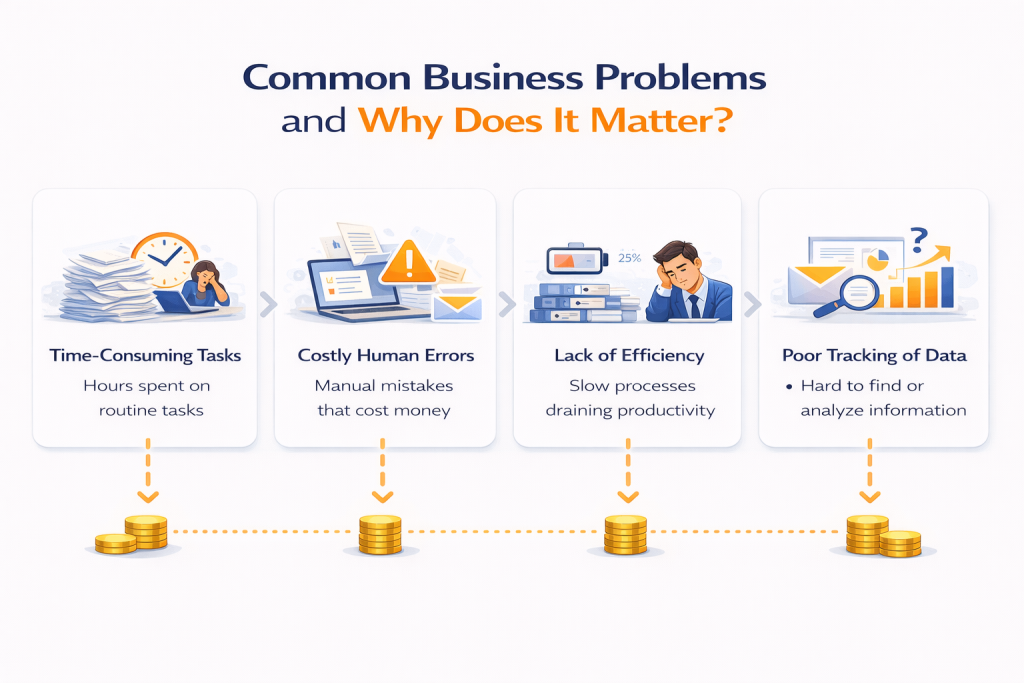
Many businesses struggle with time-consuming processes, costly errors, and slow operations that reduce overall productivity. Manual workflows often create bottlenecks, especially as businesses grow and daily tasks increase. According to McKinsey, employees spend nearly 60% of their time on repetitive work that could be automated. Business automation helps solve these issues by streamlining tasks, improving speed, and reducing dependency on manual effort. From managing repetitive administrative duties to improving workflow efficiency, automation enables businesses to operate more smoothly and consistently. It also helps teams focus on strategic work instead of routine operational tasks. By implementing automation, businesses can eliminate delays, improve accuracy, and create faster internal processes that support long-term growth.
👉 Ready to Automate Your Business and Improve Efficiency?
If your business is losing time on repetitive tasks, manual workflows, or operational delays, Digital Data Tecnologia offers customized business automation solutions designed to streamline processes, reduce costs, and improve productivity. Connect with our team today to discover the right automation solution for your business.
Common Problems Automation Solves
| Business Problem | How Automation Helps |
| Repetitive Tasks | Automates routine daily activities |
| Human Errors | Reduces manual mistakes |
| Slow Workflows | Speeds up approvals and processing |
| Inefficient Operations | Improves workflow consistency |
Automation gives businesses a practical way to increase efficiency while lowering operational stress.
Repetitive Manual Tasks
Repetitive manual tasks consume valuable time and reduce team productivity. Employees often spend hours handling routine activities that automation can complete in seconds.
Common Repetitive Tasks Businesses Automate:
- Data entry and updates
- Invoice generation
- Appointment scheduling
- Email follow-ups
- Report creation
According to Forbes, automation can improve workplace productivity by 20–30% by reducing time spent on repetitive work. For example, instead of manually sending reminder emails to customers, businesses can automate email scheduling and delivery. This allows employees to focus on more strategic and revenue-generating activities rather than repetitive administration.
Human Errors and Inefficiencies
Manual processes increase the likelihood of mistakes, especially when employees handle repetitive tasks under pressure. Even small errors can create costly operational issues.
Common Errors Automation Helps Prevent:
- Incorrect data entry
- Duplicate records
- Missed deadlines or reminders
- Billing and invoice mistakes
According to IBM, human error remains one of the leading causes of operational inefficiency in businesses worldwide. For example, manually entering financial data can lead to calculation errors that affect reporting accuracy. Automation improves consistency by following pre-set rules and reducing dependency on manual input. This helps businesses improve accuracy and reduce avoidable mistakes.
Slow Workflow Management
Slow workflows reduce efficiency, delay approvals, and create operational bottlenecks that impact overall business performance. Automation speeds up workflows by streamlining task movement and approvals.
Ways Automation Improves Workflow Speed:
- Instantly routes tasks to the right person
- Sends automated reminders and notifications
- Tracks workflow progress in real time
- Eliminates unnecessary approval delays
For example, instead of waiting days for manual approval on expense requests, automation can instantly notify managers and move the request forward. According to Deloitte, businesses using workflow automation improve processing speed and internal efficiency significantly. Faster workflows help teams complete tasks quicker and keep operations moving smoothly.
Conclusion :
Business automation has become a powerful solution for companies that want to improve efficiency, save time, and reduce operational costs. By automating repetitive tasks, streamlining workflows, and minimizing human errors, businesses can create faster and more productive operations while allowing teams to focus on strategic growth activities. In today’s competitive environment, relying on manual processes can slow progress, increase expenses, and limit scalability. Businesses that embrace automation gain stronger operational control, better productivity, and improved long-term performance.
If your organization is ready to eliminate inefficiencies and optimize daily operations, implementing the right automation solution is the next step. Digital Data Tecnologia provides customized business automation solutions designed to help businesses streamline workflows, improve efficiency, and support sustainable growth. Contact our team today to discover the right automation strategy for your business needs.
FAQs
1. What is business automation?
Business automation is the use of technology and software to automate repetitive tasks, streamline workflows, and improve operational efficiency.
2. How does business automation save time?
Business automation saves time by completing repetitive tasks instantly, reducing manual effort, and speeding up workflow processes.
3. How does automation reduce business costs?
Automation lowers costs by reducing labor-intensive tasks, minimizing errors, and improving resource efficiency across operations.
4. What tasks can businesses automate?
Businesses can automate invoicing, customer follow-ups, reporting, payroll, email marketing, approvals, and data entry.
5. Is business automation suitable for small businesses?
Yes, automation helps small businesses improve efficiency, save time, and manage growth without increasing workload.
6. Can automation improve employee productivity?
Yes, automation removes repetitive tasks so employees can focus on strategic and high-value work.
7. How long does automation implementation take?
Implementation time depends on complexity, but most automation systems take a few days to several weeks to deploy.
8. Is business automation expensive?
Costs vary based on tools and customization, but automation often delivers strong ROI by reducing long-term operational expenses.
9. What industries benefit from business automation?
Retail, finance, healthcare, logistics, education, and service-based businesses all benefit from automation solutions.
10. Why choose Digital Data Tecnologia for automation solutions?
Digital Data Tecnologia provides customized automation solutions, expert implementation, and ongoing support to help businesses improve efficiency and reduce operational costs.
 English
  Português de Angola